
Use case
Ad creatives from restaurant guests
A guest who has just paid gets one link to record in the phone browser and a code for the next visit. A clip about the dish, the room, or the service stays in the dashboard until you decide it may be used. The request goes to the guests you ask, not to tables picked by the tone you expect.
When to send the link
The clearest moment is right after the bill, while the visit is still fresh. Put a QR code with the recording link on the receipt or on a card with the bill. Anyone who does not record at the table gets an SMS about an hour later if they left a number. One message per visit. Do not pick tables by whether you expect praise.
Zaply does not connect to a restaurant reservation system. If you already message guests after the visit, paste your company's recording address into that message. When the venue also takes delivery orders in WooCommerce, Shopify, or Shoper, an email with the link can go out after the shop's order event. At the table you still use the QR code and the SMS.
This is Bistro Taras. If you want, record about 20 seconds in the browser, with no app: https://zaply.me/r/bistro-taras. The code for your next visit pays for a licence to the recording. You receive it even if we do not publish the video.
Three prompts for the guest
The recording screen shows up to three prompts from the catalog in the company profile. You do not paste your own sentence. For a restaurant, tick the ones that ask for the order and the course of the visit, not for a verdict. A request not to share sensitive data always stays on the screen. That line cannot be turned off.
Do not ask whether they recommend the venue, what tasted best, or why they chose this restaurant. Do not ask them to introduce themselves.
- Say what you ordered and how the portion looked on the plate.
- Describe the visit from the door to the bill: the room, the wait, and what the staff brought.
- Add one detail you remember from the dish or the venue.
A code that fits a restaurant
A typical offer is 10% off the next bill, or a dessert with a main course on the next visit. You type the code yourself. You can send it as soon as the file is uploaded, or only after you approve the recording.
The discount pays for a licence to the material, not for a complimentary tone. It is still due when you do not show the video in a Reel or on the site. Do not tie the code to a star rating, and do not promise it only for a review in one direction.
Where to use the video
One recording becomes 9:16, 16:9, and 4:5 files, plus the original. The video carries captions and your logo. Only a recording you approve goes out, and only within the scope the guest chose before the camera.
A paid campaign uses only a file with ads consent. You decide whether a given placement is an ad. Zaply does not post the video to your Google Maps listing or to the venue site. You upload the file yourself, next to the menu, and you do not present it as the full set of reviews.
- 9:16 for Reels, Shorts, and TikTok.
- 16:9 on the venue page, next to the menu.
- 4:5 for a Meta ad when the guest allowed ads.
- The Google Maps business profile: your own upload. Zaply does not post there.
What not to do with the set of videos
Any guest you ask can record, including when the description of the visit is critical. You have no duty to publish. You must not hide lawful, technically adequate recordings and present the selection as the complete set of reviews. A weak or accidental take, such as a plate with no voice, stays in the dashboard.
Before the camera the guest accepts the terms and chooses a scope: ads and social, or social only. Without that acceptance the recording is not submitted and the code is not sent. The person recording confirms they are at least 18. The page does not collect a date of birth.
Example frame
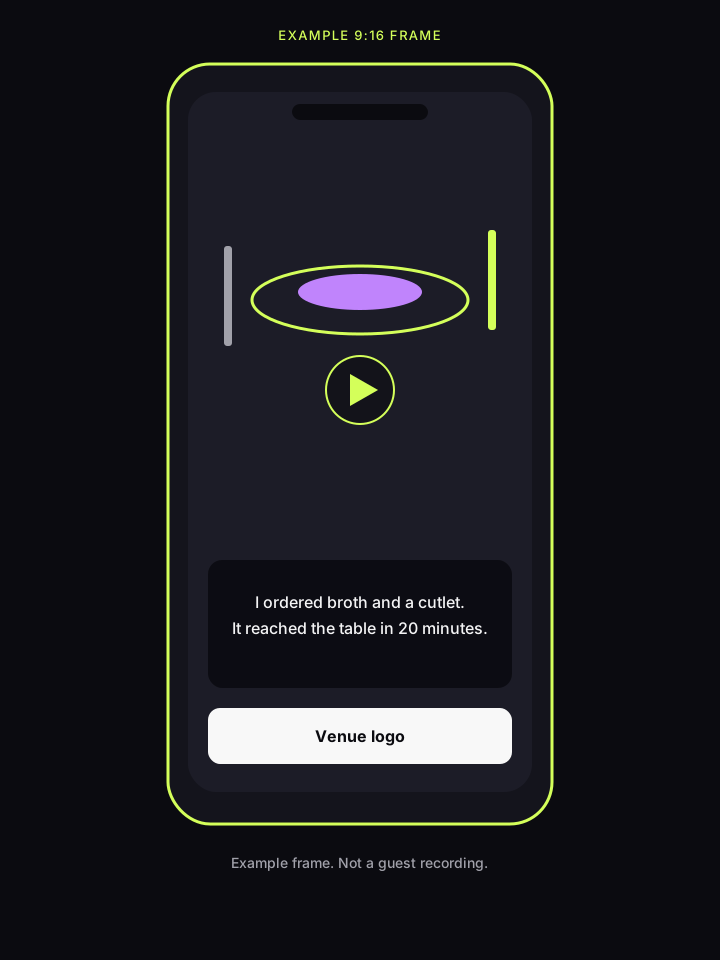
This is an illustration of a 9:16 frame, not a guest recording. The sample captions read “I ordered broth and a cutlet” and “It reached the table in 20 minutes”. The end card has room for the venue logo. A real video comes from the customer's recording, after editing and your approval.
Questions from restaurants
Does the guest need to install an app?
No. The link opens in the phone browser for about 20 seconds, between 15 and 60, or as an uploaded MP4 or MOV. There is no guest account.
Does the code go only to someone who praises the kitchen?
No. The code pays for a licence to the recording. It goes out according to your setting: right after the upload, or after approval. It is still due when you do not publish the video. It is not a reward for a positive tone.
Does the video appear on Google Maps by itself?
No. After approval you download the file and upload it where you publish, including the business profile on Google Maps. Zaply has no connection to Maps or to a table-booking portal.
What happens to a recording I do not want to show?
It stays in the dashboard. The guest still receives the code if that is how you set delivery. The published selection must not be described as the full set of reviews. A critical, technically adequate review is not removed because it is critical.