
Guide
Likeness consent for a video review
The customer chooses a scope before the camera starts: ads and social, or social only. The code pays for a licence in that scope, not for a complimentary tone. A separate consent email is not part of this flow.
.
What is on the screen before the camera
The customer gives consent before the camera starts. A separate consent email is not part of this flow. Zaply's terms are on the recording page. If the company profile contains a link to the shop or salon terms, that checkbox appears too. Then comes the usage scope.
Without that acceptance the recording is not submitted and the code is not sent. You cannot “add consent later” with an email from the dashboard. Either the customer passes the screen, or there is no file.
The person recording confirms they are at least 18. They do not enter a date of birth. You do not send the link to a child. A minor's likeness needs a guardian's consent outside this page. You do not collect that recording at this address.
Two scopes, not a slider
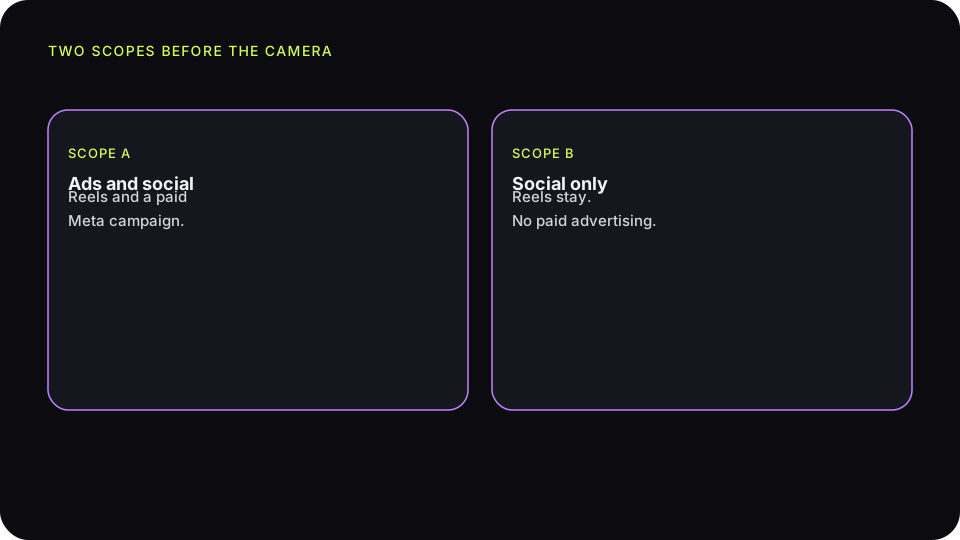
The choice has two states. There is no third option for “the shop page only” or “ads only”. The customer takes ads and social, or social only. You still approve the specific recording before anything goes public.
Ads and social
This scope covers Reels and a paid ad, for example Meta ads in 4:5 or 9:16. It also covers a use you yourself judge to be advertising. The file can go on the product card and on the company page. Before you put it in an ad set, you check that this recording has this scope and that you have approved it.
Social only
Reels, Shorts, and TikTok stay. Publishing a Reel from the dashboard to Facebook or Instagram, when the account is connected, is not blocked by this scope. The saved choice is shown before publication. You do not run a paid campaign from this file. It does not go into an ad set.
You judge your own page and a Google Maps listing yourself: whether that placement is an ad. Zaply does not upload the file to Maps or to Booking. If you are unsure, leave the file in social and do not promote it with a paid campaign.
The shop terms next to Zaply's terms
Zaply's terms are always on the recording page. The shop's terms appear only when you paste a link to them in settings. That text is yours. Zaply does not write it and does not check that it matches what you actually do with the file.
In the video-review terms it is worth stating what the tool already does: the customer is at least 18, the code pays for a licence and not for the tone of the review, the shop alone decides on publication and has no duty to show every recording, and the selection shown is not the complete set of reviews. A child's likeness does not pass through this link.
What the terms do not settle
A checkbox does not turn a critical recording into praise, and it does not give a right to hide a technically adequate, lawful take and describe the rest as the full set. A checkbox does not collect a guardian's consent for a child who should not be in the frame.
The discount does not pay for tone
The code you set pays for a licence to the material: the recording, the likeness, and the voice, in the scope the customer chose. It is still due when you do not publish the video. It does not depend on whether the description is complimentary.
You choose the timing in settings: right after the recording, or after approval. When the shop itself sends the code message, Zaply does not take part in that send. When Zaply sends it, it goes in the company's name, with the code that matches the scope if you keep one code for social only and another for ads plus social.
Code LATO10 for the next visit pays for a licence to the recording. It is still due if we do not publish the video. It does not depend on the tone of the review.
The “Advertising material” label
Branding settings can leave a white bar at the bottom of the frame for the first 3 seconds. In English it reads “Advertising material”. In Polish it reads “Materiał reklamowy”. It applies to new edits. It does not re-render files already made.
The bar is on by default. To make later edits without it, you clear the option and save. The decision is yours. The label on the frame does not replace a notice that the customer received a code for the licence. It also does not decide for you whether a given post on a given portal is an ad under the rules that apply there.
Data you do not ask for
The recording screen always asks the customer not to share sensitive data. That line cannot be turned off and it does not count toward the three prompts from the catalog. Do not ask about health, a diagnosis, allergies, medicines, beliefs, origin, intimate life, an identity-document number, or payment data.
A salon prompt can cover colour, length, or a haircut. Not a treatment outcome in the medical sense. A repair prompt covers the item, not the customer's body. A hotel prompt covers the room and the stay, not a document and not other guests. If that data still appears in a recording, delete the file. Do not publish it and do not ask for a retake of the same frame.
A salon that picked the wrong scope
A client recorded twenty seconds about hair colour and chose “social only”. The salon approved the file and put it in a paid campaign around the salon. That scope was not there. A Reel on the salon's profile fits the consent. An ad set does not.
The fix is simple and awkward: you stop the campaign, and the file stays in the Reel or comes down from the Reel as well if you do not want to show it at all. You do not take the code back. The licence in the chosen scope was granted, and the reward does not depend on publication. A later recording with “ads and social” can go into a campaign, after its own approval.
Two codes, and what the customer sees next
The profile can hold one code for “ads and social” and another for social only. The reward message carries the code that matches the customer's choice. If you do not set a social-only code, that scope can fall back to the ads-and-social code. Do not promise two different discounts in an SMS when the dashboard has one. The customer should receive what is actually saved.
When Zaply sends the code message, it goes in the company's name. It shows who is writing. A discount for a recording is commercial information. WooCommerce sends that message from the store's own mail, without a Zaply footer. Shoper sends it as a message on the order. In each of those places the code pays for the licence, not for the tone.
On the recording page the customer sees the company's contact address when the profile stores a real email. Requests for access, correction, erasure, objection, or withdrawal go there. When the address is missing, the page points back to the invitation or the company website, and to rodo@zaply.me. You do not collect a new objection channel on the recording beyond what that page already shows.
What you do not add after the fact
Do not change the scope after the customer has left the screen. Do not add ads consent in the email that carries the code. Do not treat silence as consent for a campaign. If you need an ad, send the next request the same way as the first and wait until someone chooses the wider scope themselves. That does not widen an old file. The same limit applies to an SMS from Booksy or Versum: the customer still chooses the scope on the recording page, not in the calendar message.